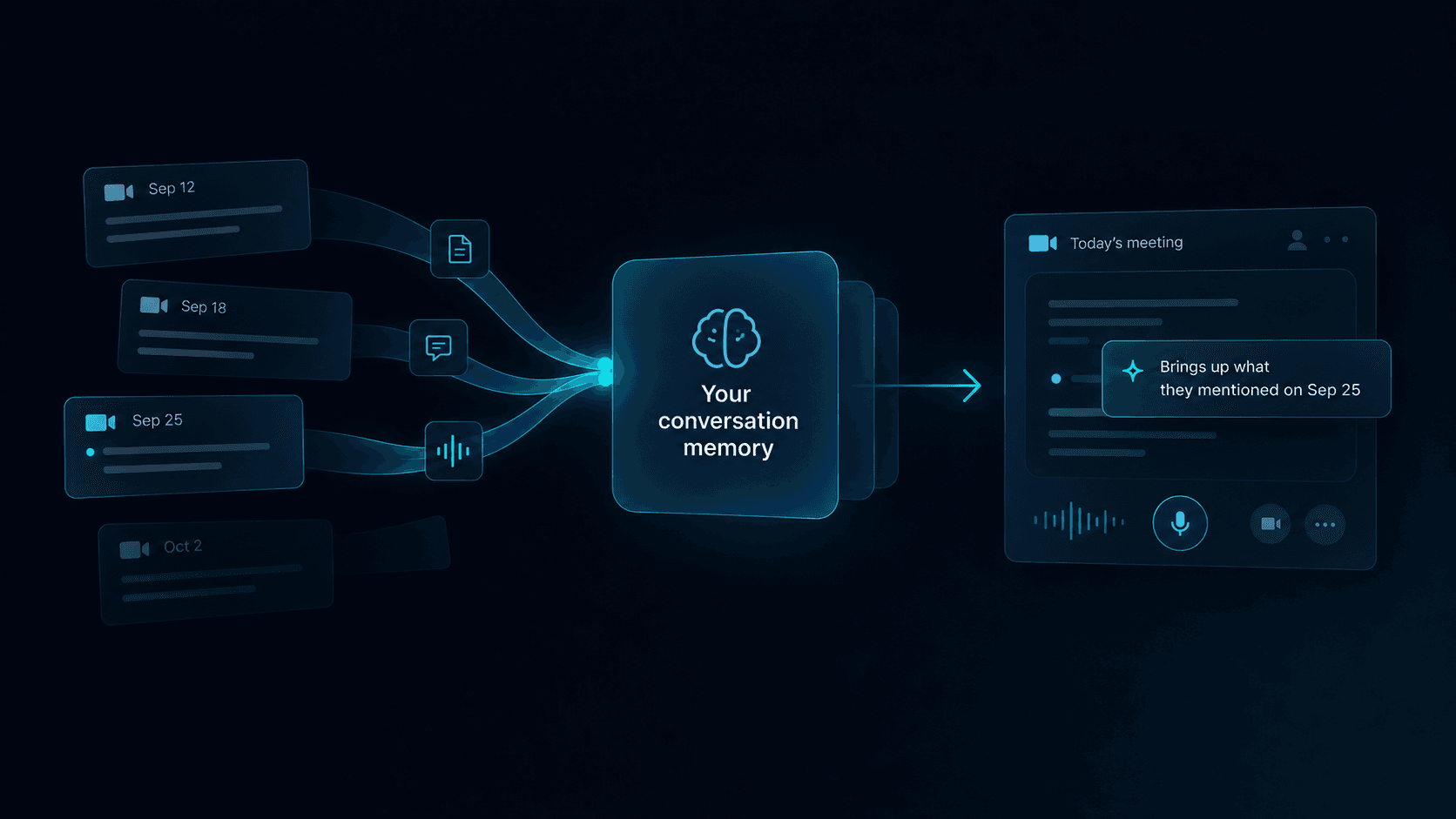
A sales rep can prepare thoroughly and still get caught off guard once the conversation starts.
The customer introduces a new concern. A technical question changes the direction of the call, or a detail from an earlier conversation suddenly becomes relevant. The rep knows the answer may exist somewhere, but finding it now means breaking attention at the exact moment attention matters most.
That is where real-time sales coaching becomes useful.
Real-time sales coaching provides guidance while the conversation is still happening. The strongest guidance usually helps with three things:
Context — what the rep needs to know right now.
Cues — what in the conversation deserves attention.
Next moves — what may be worth asking or clarifying next.
The challenge is making useful information available without pulling the rep out of the conversation.
Key Takeaways
- Real-time sales coaching supports the conversation while it is happening, not a review after the call.
- Useful live guidance can surface context, identify cues, and point to a question worth asking next.
- The strongest guidance is timely, relevant, usable, and verifiable.
- A prompt should be easy to ignore when it does not help the current conversation.
- The rep keeps judgment over what to say, what to ask, and when to move on.
What Real-Time Sales Coaching Means During a Live Call
Post-call coaching is relatively easy to understand.
The conversation ends. A manager, rep, or system reviews what happened and identifies something worth improving.
Live support has a harder job because the conversation is still moving.
The rep is listening, thinking, responding, reading the room, and deciding what matters next. Anything added to that moment has to compete with those tasks.
That changes the standard for what counts as useful.
A post-call review might identify:
The prospect mentioned that onboarding takes too long, but the rep moved on without exploring it.
During the call, a much shorter cue could be enough:
Onboarding time came up. This may be worth exploring.
The goal is to make an important part of the conversation easier to notice while there is still time to use it. The rep still chooses what to ask and how to respond.
Why Useful Information Still Goes Missing During Live Calls
Most sales teams already have more information than a rep can reasonably hold in their head during a call.
It may live across:
- CRM notes
- previous conversations
- discovery notes
- product documentation
- sales playbooks
- approved messaging
- internal knowledge
The difficulty becomes obvious when the customer asks something specific.
Opening several tabs, scanning a transcript, or searching a playbook takes attention away from the person speaking. Meanwhile, the conversation keeps moving.
This is the live-call gap: a During-stage information problem where useful organizational knowledge fails to become usable fast enough for the live conversation.
Preparation problems happen earlier, while continuity problems often become visible after the conversation. Real-time coaching deals with the moment when the conversation is already moving.
For real-time coaching, the practical question is:
What information would help the person make a better next move right now?
The Three Jobs of Useful Live Guidance
Context
Context helps the rep understand what the customer means without reconstructing the history from scratch.
A prospect might say:
“We’re still dealing with that onboarding issue.”
The value of that sentence depends on knowing what “that onboarding issue” refers to.
Relevant context could be a note from an earlier conversation, a prior concern, a product detail connected to the question, or a commitment someone on the team already made.
Cues
A rep cannot consciously track every detail in a conversation.
Sometimes a short cue is enough:
This sounds like a decision criterion.
Another might point out that the customer is returning to a timeline discussed earlier.
Useful cues sharpen attention without demanding much of it. Long explanations are harder to justify in the middle of a conversation.
Next Moves
A next move gives the rep a possible direction for continuing the conversation.
For example:
Ask who from legal needs to be involved and what they will need to review.
Clarify whether the security review affects the target launch date.
These are prompts for judgment rather than finished responses.
A next move is a question worth asking, not a sentence to read out. The rep still decides how to say it — and whether to say it at all.
Context helps the rep understand.
Cues help the rep notice.
Next moves help the rep respond.
This article focuses on what useful live guidance should do. For the narrower problem of retrieving a specific answer while the customer is waiting, see how to find the right information during a sales call.
What Good Live Guidance Looks Like in Practice
Timely
The guidance arrives while the information can still influence the conversation.
A correct answer that appears after the topic has moved on has limited value.
Timing is part of usefulness.
Relevant
The prompt relates to what the customer is discussing now, the account context, or the decision the rep currently needs to make.
A complete document may be accurate. One relevant sentence may be more useful.
Good guidance prioritizes the information most likely to affect the next part of the conversation.
Usable
The rep should be able to understand the guidance quickly without shifting attention away from the customer.
A useful prompt might be one sentence, a short reminder, or a suggested question.
It should also be easy to ignore when it is unnecessary.
Verifiable
When guidance depends on organizational knowledge, the rep should be able to understand where it came from.
That matters for product claims, policies, technical details, and other information where confidence matters.
These qualities still leave judgment with the rep.
The person in the conversation decides what to say, what to ask, and when to move on.
A useful prompt earns the interruption when the likely value of acting on it is greater than the distraction it creates.
Real-Time Guidance vs. Post-Call Analysis
Different forms of support belong at different points in the conversation lifecycle.
| Support type | Primary job | Best moment |
|---|---|---|
| Live guidance | Surface relevant context, cues, or a question worth exploring | During the conversation |
| Knowledge retrieval | Find and verify information connected to the current question | When the rep needs an answer |
| Post-call analysis | Summarize, review, evaluate, and identify patterns | After the conversation |
| Manager coaching | Build skill and judgment over time | Before or after calls |
A team may use all four.
The distinction matters because tools designed for detailed post-call analysis can become distracting when the same level of information is pushed into the live experience.
A scorecard may be valuable after the meeting. During the meeting, one relevant fact could be all the rep needs.
For a broader comparison, see Live Conversation Support vs. Post-Call Analysis.
When Real-Time Guidance Is Most Useful
When the conversation changes direction
Discovery suddenly becomes technical. Pricing turns into implementation risk. The original preparation no longer covers what the customer needs.
When useful context is difficult to retrieve
The answer may exist in product documentation, a previous interaction, account context, or internal knowledge, but retrieving it quickly enough is the problem.
When the next question matters
A customer reveals a new stakeholder, constraint, objection, or priority. The useful support is recognizing the implication and asking the right follow-up question.
When an unanswered question needs to be handled cleanly
The organization may not have an immediate answer. The goal then becomes acknowledging the gap clearly and preserving what needs to happen afterward.
For guidance on that live moment, see how to handle questions you can’t answer during a sales call.
Where kernous Fits
kernous is focused on the During stage of business conversations.
The goal is to help make relevant organizational knowledge and guidance easier to use while the conversation is still moving.
That can include product knowledge, approved guidance, and available conversation context that may help someone understand what is happening or decide what to explore next.
Preparation can improve the context available before a call. Post-call workflows can preserve what should carry forward afterward.
kernous is designed around the live moment between those two stages: when the conversation is already happening and useful information needs to become usable quickly.
The During stage depends on the information lifecycle around it, even when the product focus stays on the conversation itself.
FAQ
What is real-time sales coaching?
Real-time sales coaching provides guidance while a sales conversation is happening. It can surface relevant context, identify important cues, and surface questions worth asking next, while the rep decides what to actually say.
How is real-time sales coaching different from post-call coaching?
Real-time support helps while the conversation is still active. Post-call coaching reviews what happened afterward and is better suited to detailed feedback, scoring, pattern analysis, and long-term skill development.
What should real-time sales coaching provide?
Useful live coaching typically provides context, cues, or a question worth asking next. The guidance should be timely, relevant, easy to use, and grounded enough for the rep to trust — and it should leave the actual wording to the rep.
When is real-time sales coaching most useful?
It is most useful when a conversation changes direction, relevant context is difficult to retrieve, the next question matters, or an unanswered question needs to be handled cleanly.
Does real-time sales coaching tell reps what to say?
It should not. Useful live guidance can surface relevant context, point out something in the conversation worth noticing, and suggest a question worth exploring. The wording, timing, and decision about how to respond stay with the person in the conversation.