A prospect asks a question you know your team has answered before.
The answer might be in the CRM, a product document, an old call note, or a message from someone on the team. You know roughly where to look. The call keeps moving while you look for it.
During a sales call, even a short search creates a second task. You are listening to the prospect while trying to remember where a detail lives, checking whether what you found is current, and deciding how it fits the conversation.
Do that often enough, and the call starts to feel fragmented.
Key Takeaways
- Context switching happens whenever a rep leaves the conversation to find, verify, or record information somewhere else.
- The cost is rarely the seconds spent searching. It is the attention required to hold the conversation in memory while navigating another system.
- Better documentation helps, but a live call adds a timing constraint that documentation alone does not remove.
- Useful live context is narrow. Relevance matters more than volume once a conversation is moving.
- The practical goal is to shorten the distance between where information lives and the moment it becomes useful.
What does context switching look like during a sales call?
Context switching happens whenever a rep has to move away from the conversation to find, verify, or record information somewhere else.
During a single call, that can mean any of the following:
- Opening the CRM to check account history
- Moving into product documentation for a technical detail
- Scanning notes from a previous meeting
- Searching Slack for an answer from a colleague
- Checking a pricing page, an internal playbook, an AI tool, or a personal note
Each move may only take a few seconds. The mental cost is larger because the rep has to keep the conversation in memory while navigating another source.
That becomes harder as the call gets more complex. A new question may depend on something the prospect said ten minutes earlier, a commitment from the previous meeting, or an account detail buried in another system.
The information is available, but using it requires leaving the conversational thread long enough to retrieve it.
Why context switching affects sales conversations
A live sales conversation already places several demands on attention. Reps are listening for what the prospect means, deciding which details matter, tracking unanswered questions, and choosing where to take the conversation next.
Searching adds another layer of work.
Attention gets divided
When part of a rep’s attention moves into another tool, smaller details become easier to miss.
A prospect may add an important constraint while the rep is scanning a document. A follow-up question may get answered without fully connecting it to something discussed earlier. Sometimes the rep simply asks the prospect to repeat a point.
None of these moments looks severe on its own. Repeated across a call, they weaken the sense that the rep is fully following the conversation.
The thread becomes harder to maintain
Strong sales conversations build from one point to the next.
The prospect explains a problem. The rep asks a question. That answer changes the next question. New information reshapes what matters.
Every search creates a small break in that chain. The longer the rep spends reconstructing context across different systems, the harder it becomes to preserve the logic of the conversation.
Existing knowledge loses value when retrieval takes too long
Teams often spend significant effort documenting product information, account history, pricing rules, objection handling, and customer examples.
The problem is not always a lack of documentation. It is the distance between that documentation and the moment when someone needs it.
A detailed internal resource may work well during call preparation. Its usefulness changes when a prospect is waiting for an answer in real time.
That makes retrieval part of the sales workflow itself.
Better documentation only solves part of the problem
Clear documentation still matters. Clean CRM records, current product information, and consistent internal processes make information easier to trust and easier to find.
Live calls add a timing constraint.
The rep first has to recognize what information would help, remember where it lives, formulate a search, review the result, and connect it back to the conversation.
Even when each step works well, the work of retrieval still sits with the person handling the call.
That leads to a useful operational question:
How quickly can relevant information move from the systems where it lives into the conversation where it becomes useful?
The answer tells you more about the live workflow than the size of the knowledge base does.
What information matters during a sales call?
Useful live context is usually a small subset of everything a company knows.
| What becomes relevant | When it usually matters |
|---|---|
| Account history | The prospect refers to a previous conversation |
| Product documentation | A technical question comes up |
| Pricing rules | Commercial terms enter the discussion |
| Previous commitments | The prospect asks what was agreed last time |
| Approved answers and known constraints | A question carries compliance or delivery risk |
The timing changes from call to call.
A rep rarely needs all of this information visible at once. Too much context creates another scanning problem and competes with the conversation for attention.
Useful live support depends on relevance: the information should help the rep understand what was said, answer the current question, avoid an error, or move the conversation forward.
How to reduce context switching during sales calls
1. Find the moments that repeatedly trigger a search
Start with the call itself.
Look for questions that consistently send reps into another system. Pay attention to the moments where they pause, open several tabs, ask someone internally, or promise to follow up later.
Those moments reveal where information access is breaking down.
They also tend to be more actionable than a general inventory of every tool the sales team uses.
2. Separate call preparation from live information needs
Preparation and live support solve different problems.
Before a call, a rep may want account history, meeting objectives, recent activity, previous notes, and a general understanding of the opportunity.
Once the conversation begins, relevance becomes much narrower. A particular objection, product question, pricing issue, or prior commitment may suddenly matter because of what the prospect just said.
Designing around that distinction helps keep preparation comprehensive while keeping live context focused.
3. Reduce the number of places reps have to check
Sales information is often distributed across the CRM, internal documentation, messaging tools, call history, and product systems.
Full consolidation may be unrealistic. The retrieval experience can still be improved.
If reps can reach information across those sources without manually remembering where every answer lives, fewer moments in the call turn into searches across tabs.
The key metric here is friction: how much work does the rep have to do between realizing they need something and having enough context to respond?
4. Prioritize relevance over volume
A live call is a poor place for information overload.
Every additional card, suggestion, result, or notification asks for attention. Even accurate information can become distracting when it appears at the wrong moment.
This makes restraint part of the experience.
The most useful piece of information might be one account detail, one product answer, or one commitment from the previous call. In many moments, nothing needs to appear at all.
5. Preserve rep judgment
Sales conversations change direction quickly, and relevance is often contextual.
A system can identify potentially useful information, but the rep still understands tone, relationship history, and what the prospect is trying to accomplish in that moment.
Good live support keeps that judgment close to the person having the conversation. Context should be easy to use, easy to ignore, and available without forcing the call into a predefined script.
Where real-time AI can help
Most sales software depends on an explicit action from the rep. Open the CRM. Search the knowledge base. Ask a question. Find the right note.
Real-time AI can use the live conversation itself as an input.
As the discussion changes, a system can identify what topic is active, connect it with relevant company or account knowledge, and make that context available while it still matters.
The quality of that experience depends heavily on timing.
Constant suggestions would create a new source of interruption. Useful real-time assistance has to be selective enough that the rep can stay focused on the prospect.
This is where the design of live AI starts to matter as much as the quality of the underlying information.
A better sales call has fewer recovery moments
The effect of reducing context switching is easiest to see in the small moments across a call.
A prospect mentions something from the last meeting, and the rep already has the relevant context. A technical question comes up, and the approved answer is accessible without opening three tabs. A constraint appears halfway through the conversation and stays connected to the discussion that follows.
The rep spends less time recovering the thread after a search.
That creates more room to listen, ask the next question, and notice where the conversation is actually going.
For a sales team, that is a more useful standard for live enablement: how much of the rep’s attention can stay with the prospect?
Where kernous Fits
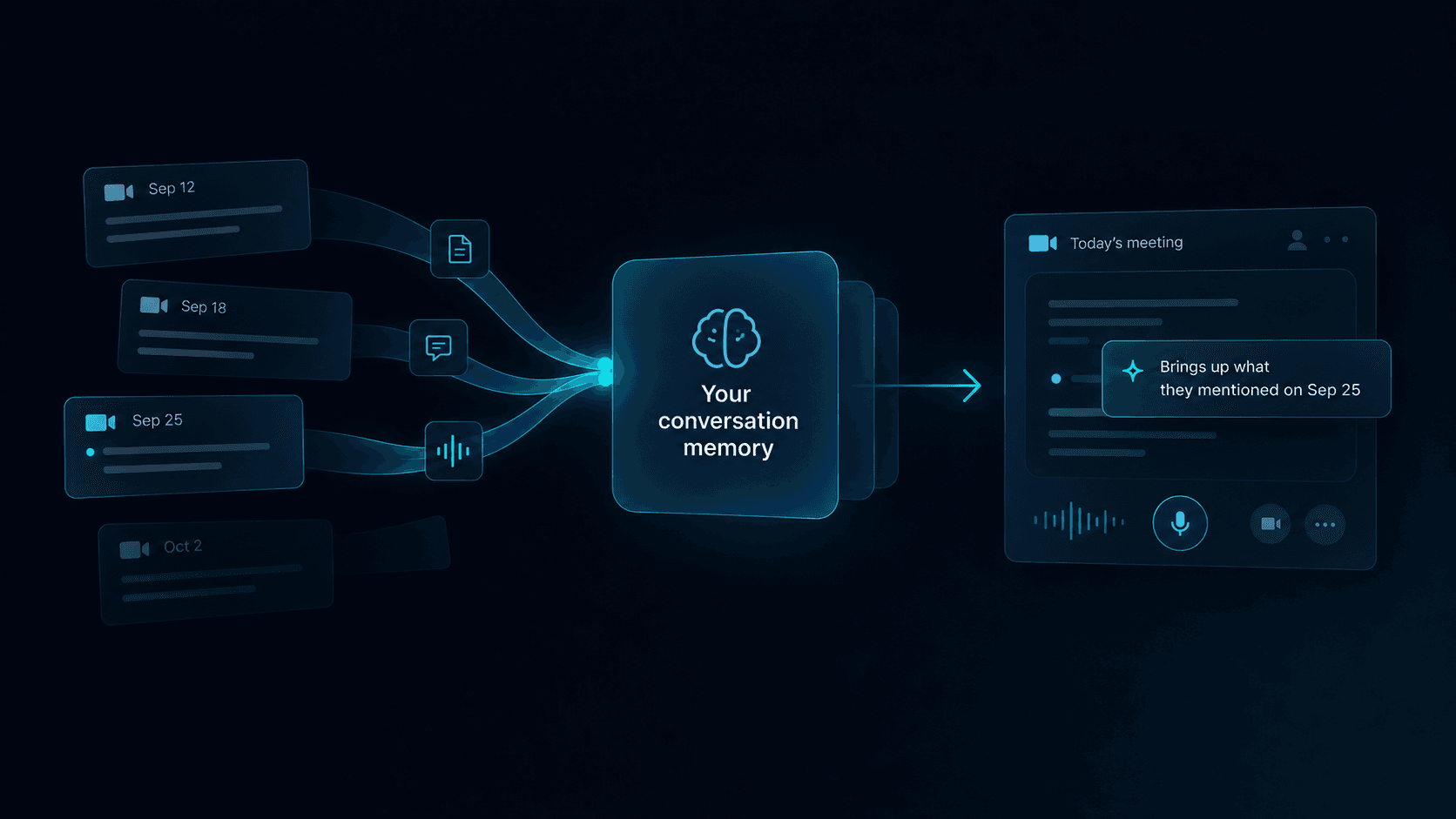
kernous works during the call rather than after it. It follows the live conversation and surfaces the account context, approved product answers, and previous commitments that have become relevant to what is being discussed.
Restraint is part of the design. Most moments in a call need nothing at all, so the interface stays quiet until something is worth showing and moves back into the background afterwards.
kernous does not decide how the conversation should go. The rep keeps that judgment, and surfaced context can be used, adapted, or ignored.
For broader product questions about kernous, see the FAQ.
FAQ
What is context switching in sales?
Context switching in sales is the act of leaving the conversation to find, verify, or record information somewhere else. During a call that usually means opening the CRM, product documentation, previous notes, or a messaging tool while the prospect is still talking.
Why is context switching a problem during sales calls?
The issue is attention rather than time. While a rep is searching, they still have to hold the conversation in memory, which makes small details easier to miss and makes the thread of the discussion harder to maintain. A single search is rarely damaging. Repeated across a call, the effect accumulates.
How can sales teams reduce context switching during calls?
Start with the moments that repeatedly send reps into another system, separate call preparation from live information needs, reduce the number of places a rep has to check, and prioritize relevance over volume. The goal is to shorten the distance between where information lives and the moment it is needed.
Does better documentation solve context switching?
Only partly. Clear documentation makes information easier to trust and easier to find, but a live call adds a timing constraint. The rep still has to recognize what would help, remember where it lives, search, review the result, and connect it back to the conversation while the prospect is waiting.
What information does a rep actually need during a call?
Usually a small subset of what the company knows: the account history relevant to what was just said, an approved answer to the current question, a pricing rule that has come into scope, or a commitment from a previous meeting. Showing everything at once creates a new scanning problem and competes with the conversation for attention.